Pregnancy support, wherever you are.
Amakomaya brings trusted maternal and child health information, guidance, and care support to your phone.
Use it from your browser or install it on your Home Screen
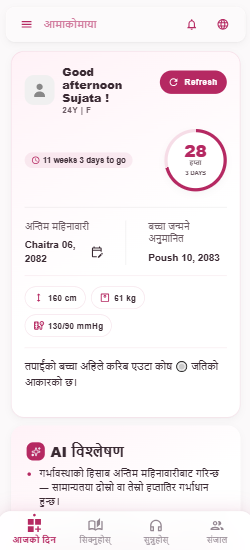
Support for every step.
Pregnancy guidance
Information relevant to different stages of pregnancy.
Know the warning signs
Understand important signs that may require timely care.
Prepare for birth
Practical information to help prepare for childbirth.
Mother and baby
Guidance for postpartum and early childhood.
Family support
Information that helps partners and families support mothers.
Connect to care
Guidance on when and where to seek appropriate care.
More than a pregnancy tracker.
Amakomaya is designed around maternal health and connection to care — not simply tracking dates or symptoms.
Start in three steps
Open
Open Amakomaya on your phone.
Learn
Explore information relevant to your pregnancy and care.
Act
Recognize important warning signs and seek appropriate care when needed.
See Amakomaya in action.
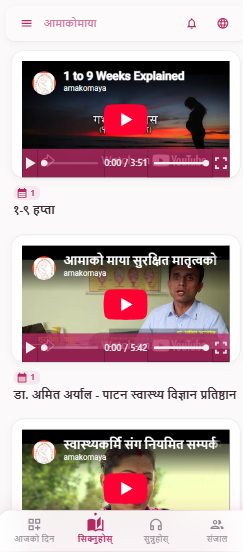
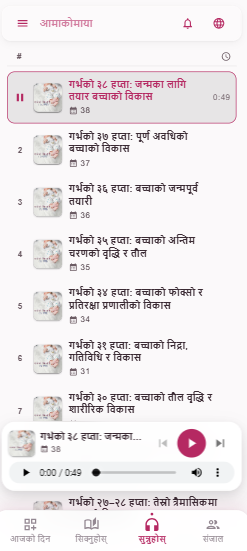
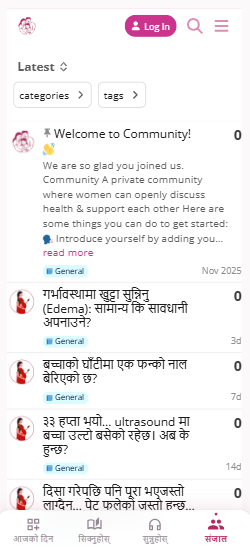
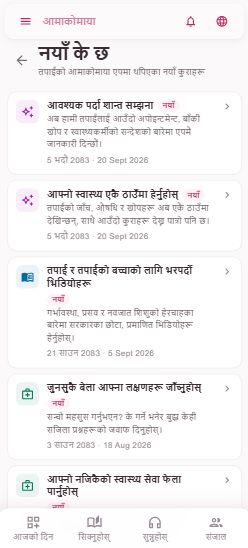
Built for everyone around a pregnancy.
Women
For pregnant women and new mothers.
Families
For partners and family members supporting mothers.
Health workers
A digital resource for maternal and child health work.
Communities
Helping make health information easier to access.
Get Amakomaya on your phone
Keep Amakomaya with you throughout your pregnancy and motherhood. Choose how you want to use it.
iPhone / iPad
Use Amakomaya directly from Safari. No App Store download is required.
Web app install
- 1Open Amakomaya in Safari
- 2Tap the Share button
- 3Choose "Add to Home Screen"
Android Web App
Install Amakomaya directly from Chrome without downloading it from Google Play.
Web app install
- 1Open Amakomaya in Chrome
- 2Tap "Install app" or "Add to Home screen"
- 3Open Amakomaya from your home screen
Scan to open Amakomaya
Use your phone camera to scan the QR code and open Amakomaya.
web.amakomaya.com
Point your phone camera at the QR code.
Built from experience.
Amakomaya has worked with women, families, health workers, and health systems in Nepal for more than two decades.
Learn about Amakomaya